Family caregiver schedule template and shared calendar
Family caregiver schedule template for building a shared weekly care calendar with named shifts, task owners, backup coverage, and family contacts each week.
Get the free printable family caregiver schedule ↓No account required.By Rachel Moore, Founder, Sagebeam · Published April 2026 · How we research and review our guides
Part of: Care coordination for aging parents – simple system
When caregiving ramps up, it only takes a few weeks for everyone’s schedules to collide. One sibling thinks they’re “on” this weekend, another forgot about the follow-up appointment, and you’re trying to remember who agreed to handle medication refills. Text threads and group chats help in the moment, but they quickly become impossible to search.
A family caregiver schedule template is a simple weekly rota that shows who is doing what and when for your parent’s care — rides, visits, appointments, check-in calls, and time-bound tasks. Once the week is covered, the same plan can move into a shared caregiving calendar. The Family Caregiver Alliance describes electronic schedules and shared calendars as practical ways for relatives and friends to sign up for visits, transportation, and other care tasks.
Most advice about caregiving calendars stops at “add appointments.” This guide also shows how to use your shared caregiving calendar to share the load with siblings, long-distance helpers, and paid caregivers, and to keep it simple enough that people actually stick with it.
This article walks you through choosing the right level of tooling, setting up a simple but powerful shared caregiving calendar, and building habits so people will actually use it.
This article is educational and is not medical or legal advice. For medical, legal, or financial questions, follow the guidance of your parent's care team and the qualified professionals who know their situation.
Deciding who covers which days across the week? You're in the right place. Planning what happens within a single day — time blocks, activities, and who handles each — is a different job; for that, use the caregiver daily schedule template.
Related resources:
- Caregiving task delegation framework for families — decide the owner, backup, and definition of done before adding work to the schedule.
- Caregiver task list for elderly parents — make sure recurring work is visible before assigning shifts.
- Caregiver daily schedule template — plan the time blocks inside one covered day.
- Family caregiving roles and responsibilities guide — separate ongoing roles from this week's coverage.
- Caregiver communication plan for family members — agree where changes and handoffs will be posted.
On this page:
- Weekly family caregiver schedule template
- Caregiver scheduling for families: coverage, changes, and handoffs
- What belongs on a shared caregiving calendar
- Choosing a paper, calendar, spreadsheet, or caregiving tool
- Building the first month and assigning backup coverage
- Tips for keeping the family rota current
Jump to template: Weekly caregiver schedule worksheet
At a glance: what you’ll get
- A copyable weekly coverage worksheet with day, shift, owner, backup, tasks, and contacts.
- A clear definition of what a shared caregiving calendar is (and isn’t).
- Step-by-step setup for the next 4 weeks instead of an overwhelming “forever” plan.
- Tool options (paper, digital calendars, shared docs, and caregiving apps) with pros and cons.
- Concrete ways for long-distance siblings to plug in using the calendar.
- Routines and FAQs that keep the calendar light enough to survive real life.
Weekly family caregiver schedule template (copy and adapt)
Copy this family care schedule into a document or spreadsheet, or print it and fill it in by hand. This is a family coverage worksheet, not an agency staffing schedule. Use one row for each visit or shift. A blank owner means the coverage is still open.
WEEKLY FAMILY CAREGIVER SCHEDULE

Parent / person receiving care: __________________________________________
Week of: __________________________   Schedule owner: _____________________
Where schedule changes are posted: ______________________________________

WEEKLY COVERAGE
(One primary owner and one backup per row. Add a row for any extra or overnight shift.)

MONDAY
  Morning  time: __________  Primary: ______________  Backup: ______________  Confirmed? [ ]
  Evening  time: __________  Primary: ______________  Backup: ______________  Confirmed? [ ]
  Tasks / appointments / handoff notes: ___________________________________

TUESDAY
  Morning  time: __________  Primary: ______________  Backup: ______________  Confirmed? [ ]
  Evening  time: __________  Primary: ______________  Backup: ______________  Confirmed? [ ]
  Tasks / appointments / handoff notes: ___________________________________

WEDNESDAY
  Morning  time: __________  Primary: ______________  Backup: ______________  Confirmed? [ ]
  Evening  time: __________  Primary: ______________  Backup: ______________  Confirmed? [ ]
  Tasks / appointments / handoff notes: ___________________________________

THURSDAY
  Morning  time: __________  Primary: ______________  Backup: ______________  Confirmed? [ ]
  Evening  time: __________  Primary: ______________  Backup: ______________  Confirmed? [ ]
  Tasks / appointments / handoff notes: ___________________________________

FRIDAY
  Morning  time: __________  Primary: ______________  Backup: ______________  Confirmed? [ ]
  Evening  time: __________  Primary: ______________  Backup: ______________  Confirmed? [ ]
  Tasks / appointments / handoff notes: ___________________________________

SATURDAY
  Morning  time: __________  Primary: ______________  Backup: ______________  Confirmed? [ ]
  Evening  time: __________  Primary: ______________  Backup: ______________  Confirmed? [ ]
  Tasks / appointments / handoff notes: ___________________________________

SUNDAY
  Morning  time: __________  Primary: ______________  Backup: ______________  Confirmed? [ ]
  Evening  time: __________  Primary: ______________  Backup: ______________  Confirmed? [ ]
  Tasks / appointments / handoff notes: ___________________________________

OPEN COVERAGE / PRESSURE POINTS
- Date / time still open: _______________________________________________
  Who is asking for help: _______________________________________________
- Date / time still open: _______________________________________________
  Who is asking for help: _______________________________________________

RECURRING TASKS THIS WEEK
- Medication refill / pickup: ______________ Owner: ______ Backup: ______
- Groceries / meals: ________________________ Owner: ______ Backup: ______
- Laundry / household: ______________________ Owner: ______ Backup: ______
- Calls / paperwork: ________________________ Owner: ______ Backup: ______
- Other: ___________________________________ Owner: ______ Backup: ______

FAMILY AND CARE CONTACTS
- Primary family contact: ___________________ Phone: _____________________
- Backup family contact: ____________________ Phone: _____________________
- Paid caregiver / agency (if used): ________ Phone: _____________________
- Clinic / care team contact: _______________ Phone: _____________________
- Pharmacy: _________________________________ Phone: _____________________

WEEKLY REVIEW
- Coverage confirmed through: ___________________________________________
- Changes everyone needs to know: _______________________________________
- Follow-ups to move into next week: ____________________________________
Need a third shift or an overnight? Add a row under that day. For a caregiver rota with several helpers, keep one primary owner and one backup on every row. “Everyone” is not an owner.
Once the paper schedule works, you can import the same coverage into Sagebeam's shared calendar. Turn each handoff or refill into an assigned task, and keep the backup owner attached so a cancellation does not disappear into a group text.
Caregiver scheduling for families: coverage, changes, and handoffs
Caregiver scheduling works differently for a family than for a home-care agency. An agency has a staffing coordinator whose whole job is filling shifts; your family has a group text and everyone's competing calendars. That means the schedule itself has to make explicit four things a family can otherwise leave to assumption.
Coverage: every block gets one name. The most common family scheduling failure is a day everyone assumed someone else had. Go through the week block by block and put exactly one primary name on each — including overnights and any check-in blocks your family (or the care team) has agreed are needed. If a block has no name, mark it as open coverage and treat it as a task ("find coverage for Thursday evening"), not as a blank to quietly ignore.
Schedule changes: agree on one place they get posted. In multi-person caregiving, most breakdowns are not missed shifts — they are changes made in a hallway conversation or a one-to-one text that never reached the schedule. Pick one rule and hold it: a swap or cancellation is not real until it is on the shared schedule (or told to the schedule owner, who updates it). The "Where schedule changes are posted" line at the top of the worksheet exists so nobody has to guess.
Backup owners: decide the fallback before you need it. Every shift on the worksheet has a backup column for a reason. When the primary person gets sick or stuck at work, the question "who covers?" should already be answered: the named backup confirms they can take it, and the schedule owner marks the change — coverage is not filled until both happen. Rotate who plays backup so the same sibling is not the permanent safety net.
Handoffs: pass the day forward, not just the keys. When one caregiver leaves and another arrives — or a paid caregiver's shift ends and family takes over — the schedule's "handoff notes" line is where the short version lives: what happened during the block, anything that changed (a moved appointment, a refill picked up), and anything the next person needs to do first. Write the key facts down so the handoff does not depend on anyone's memory; add verbal detail when it helps.
If your family's scheduling pain is mostly within a single day — time blocks, meals, medication times, who is on duty hour by hour — that is a different job. This page decides who covers which days; the caregiver daily schedule template linked above plans one covered day.
Step 1: Decide what your shared caregiving calendar needs to show
Before you pick tools, be clear about what needs to be visible on the calendar. For most families, that includes:
- Medical appointments
- Who your parent is seeing
- Date, time, and location (in person vs. video)
- Which family member or caregiver is going
- Hands-on caregiving shifts
- Overnights
- Daily visits
- Respite coverage
- Recurring time-bound tasks
- Medication refills
- Grocery runs
- Weekly laundry, trash/recycling
- Checkpoints and calls
- Weekly sibling call
- Scheduled check-in with your parent
- Telehealth visits
- Your own limits
- Work hours
- Kids’ activities
- Days you absolutely cannot cover
You do not need to put every tiny task on the calendar. Use it for anything that:
- Requires one or more people to be available at a specific time, or
- Will cause real problems if it slips through the cracks.
Everything else can live in your broader care coordination system and caregiver task list for elderly parents.
Step 2: Choose the simplest shared tool everyone will actually open
A shared caregiving calendar can be as basic or as sophisticated as your family needs. The best tool is the one everyone will reliably see, not the fanciest app.
Start with the format your family already knows how to open and change. The worksheet above can stay on paper, move into a spreadsheet, or become the first week in a shared calendar.
Here are practical options to consider.
Option 1: Shared paper calendar at your parent’s home
Best for families who live nearby and prefer analog tools.
- Pros
- Easy to see at a glance when you’re in the house.
- Low-tech and familiar for many parents.
- Cons
- Hard for long-distance siblings to see or update.
- Easy for changes to be made in conversation but not reflected on the calendar.
When this is your primary calendar, back it up with quick photo updates sent to siblings (for example, a snapshot of next week’s calendar in the group chat every Sunday).
Option 2: Shared digital calendar (Google, Apple, Outlook)
Best for families already using these tools for work and life.
- Pros
- Easy to invite siblings to specific events or an entire shared calendar.
- Works well for both local and long-distance family members.
- Built-in reminders and recurring events.
- Cons
- Requires that everyone knows how to use the platform and keeps notifications turned on.
- Can get cluttered if mixed with non-caregiving events.
If you choose this route, consider creating a dedicated “Caregiving” calendar separate from personal work calendars so you can toggle it on/off.
Option 3: Shared document or spreadsheet
Best when some siblings resist calendar apps but will open a link.
- Pros
- Very flexible: you can create weekly or monthly grids, color-coding, and notes.
- Easy to pair with visit notes and task lists in the same file.
- Cons
- No automatic reminders unless you combine it with calendar or task tools.
- Can become messy without a clear owner.
This works especially well if you already have a shared Google Doc for caregiver communication plans or visit notes.
Option 4: A dedicated caregiving tool like Sagebeam
Best when your parent’s care is complex enough that you want tasks, notes, and scheduling in one place.
- Pros
- Designed for caregiving workflows: tasks, logs, visits, and roles live together.
- Easier to connect the calendar to checklists, notes, and your caregiver binder.
- Long-distance siblings get a clear, real-time view of what’s happening.
- Cons
- Adds a new tool for the family to learn.
- Works best when at least one person is willing to be the “coordinator” and keep it up to date.
You can always start with a simple shared calendar and layer in a dedicated tool later if the workload or complexity grows.
Step 3: Build out your first month (without overplanning)
Once you’ve chosen a tool, build out the next 4 weeks, not the entire year.
Focus on:
- All known appointments (doctor visits, therapy, imaging, lab work)
- Standing routines (weekly grocery run, Sunday visit, medication refill day)
- Coverage for obvious gaps
- Who’s “on” if your parent needs help overnight?
- Who is backup if someone gets sick?
For each calendar entry, include:
- What is happening
- “Dr. Patel – cardiology follow-up”
- “Evening visit – dinner + meds + trash”
- When and where
- Date, time, and address, or “home” / “video visit”
- Who is responsible
- The sibling or caregiver taking the lead
If you’re using a tool like Sagebeam, link or attach supporting details (visit prep checklist, questions, or transportation notes) directly to the event or related task so you’re not hunting for them later.
Step 4: Make long-distance help concrete
Many families have at least one sibling who lives far away and genuinely wants to help but isn’t sure how. A shared caregiving calendar lets you assign real responsibilities that fit their situation.
Long-distance siblings can own:
- Administrative tasks with clear due dates
- Bill payments, insurance calls, prescription management.
- Scheduled emotional support
- Weekly video calls or check-in texts on tough days (like post-visit evenings or treatment days).
- Research and logistics
- Comparing rehab facilities, arranging transportation, coordinating equipment deliveries.
On the calendar, mark these as named slots (“Sam – insurance call,” “Ava – Tuesday evening video call with Dad”) instead of vague “help when you can” expectations. That makes their contribution visible and predictable.
You can also use the calendar to signal when extra support is needed — for example, flagging weeks with multiple appointments, procedures, or nights when local siblings need backup.
Step 5: Pair your calendar with a simple weekly review
A shared caregiving calendar only works if it stays roughly current. You don’t need to obsess over every change, but you do need a short, regular review.
Try a 15–20 minute weekly rhythm:
- Look back at last week.
Did any appointments move? Did anyone get stretched too thin? Adjust upcoming weeks if needed. - Confirm this week’s coverage.
Make sure each appointment or visit has a clearly named person who still can make it. - Highlight pressure points.
Note days when everyone is stretched or when your parent may be especially tired, and look for ways to add help. - Capture follow-ups.
Turn new to-dos from last week’s visits into tasks tied to specific days rather than loose mental reminders.
This weekly check-in can double as your family update: a quick call or shared message that uses the calendar as a visual reference instead of retyping everything from scratch.
Tips for keeping the family caregiver schedule current
The fastest way to kill a shared caregiving calendar is to make it so detailed that no one wants to maintain it. Real life will push back — people will forget to update, plans will change, and some tools will feel heavier than they looked on paper.
When that happens, adjust instead of abandoning the idea.
Healthy constraints:
- Use short, clear titles instead of paragraphs.
- Reserve the calendar for time-bound activities, not every tiny task.
- Let one person (often the coordinator) act as the calendar owner, with others adding events when they’re comfortable.
- When a change happens in real time (“I swapped Wednesdays with you this week”), immediately update the calendar or send a quick note to the owner.
If you notice people ignoring the calendar, that’s usually a signal to simplify — fewer events, clearer names, or a different tool everyone finds easier to open.
How a shared caregiving calendar fits with your broader system
A calendar is one piece of your care coordination system, not the whole thing. It works best when it’s connected to:
- Your care coordination hub and organized medical information, so people know what to bring and where to find details.
- Your caregiver task list for elderly parents, so calendar slots map to real, named tasks.
- Your caregiver communication plan for family members, so everyone knows how updates will be shared.
- Your expectations with paid help from what families should expect from home caregivers, so home caregivers interpret the schedule the same way your family does.
Tools like Sagebeam can pull these pieces into one workspace — for example, you might keep the master calendar and task list in Sagebeam, then mirror only the week’s key events onto a paper calendar in your parent’s kitchen. That way, appointments, tasks, notes, and roles fit together week by week instead of living in separate apps and notebooks.
Frequently Asked Questions
What is a shared caregiving calendar?
A shared caregiving calendar is a calendar (paper or digital) that shows, in one place, who is responsible for key caregiving activities and when they’re happening — appointments, rides, visits, check-in calls, and time-bound tasks like medication refills. The goal is to give everyone the same view of the week so you’re not constantly asking “Who’s on?” or discovering conflicts at the last minute.
Do we need a special app for a caregiving calendar?
Not necessarily. Many families do well with a dedicated Google or Apple calendar, a shared spreadsheet, or even a large paper calendar in the home backed up by photos in a group chat. A caregiving-specific tool like Sagebeam becomes most helpful when you want the calendar to connect directly to tasks, logs, and notes, or when long-distance siblings need a clearer, real-time picture of what’s happening.
How do I set up a shared caregiving calendar step by step?
Use these six steps in order:
- Decide what needs to be visible (appointments, shifts, time-bound tasks, check-ins, limits).
- Pick the simplest tool everyone will actually open (paper, shared calendar, doc, or caregiving app).
- Map out the next four weeks with clear owners for each appointment and visit.
- Assign concrete slots for long-distance help so their contributions are visible and predictable.
- Add a short weekly review to confirm coverage and capture follow-ups.
- Simplify when it starts to feel heavy, keeping the calendar focused on time-bound commitments.
That sequence is enough to get a working shared caregiving calendar running in most families.
How do I get siblings to actually use a shared caregiving calendar?
Start where they already are. If most people live in Google Calendar or on their phones, use that. Keep the system simple — one shared calendar or doc, clear names on events, and a short weekly review — and show how it reduces annoying back-and-forth (“When is that appointment again?”). You can also agree that certain decisions “live in the calendar”: if it’s not on there, it’s not committed yet.
How can long-distance siblings help through the calendar?
Long-distance siblings can commit to specific calendar slots for things like insurance or billing calls, prescription management, research projects, and scheduled video or phone check-ins with your parent. They can also cover “remote” tasks on high-stress days, like arranging grocery delivery or handling paperwork. Putting these commitments on the shared calendar makes their contribution visible and predictable instead of vague.
What if my parent doesn’t like the idea of a shared calendar?
Focus on how the calendar helps them, not just the caregivers: fewer missed appointments, less last-minute scrambling, and a better chance that the right person is available when they need help. You can start small — for example, just putting medical visits and rides on the calendar — and gradually add more as it proves helpful. Reassure them that the calendar is about keeping everyone organized, not about controlling their every move.
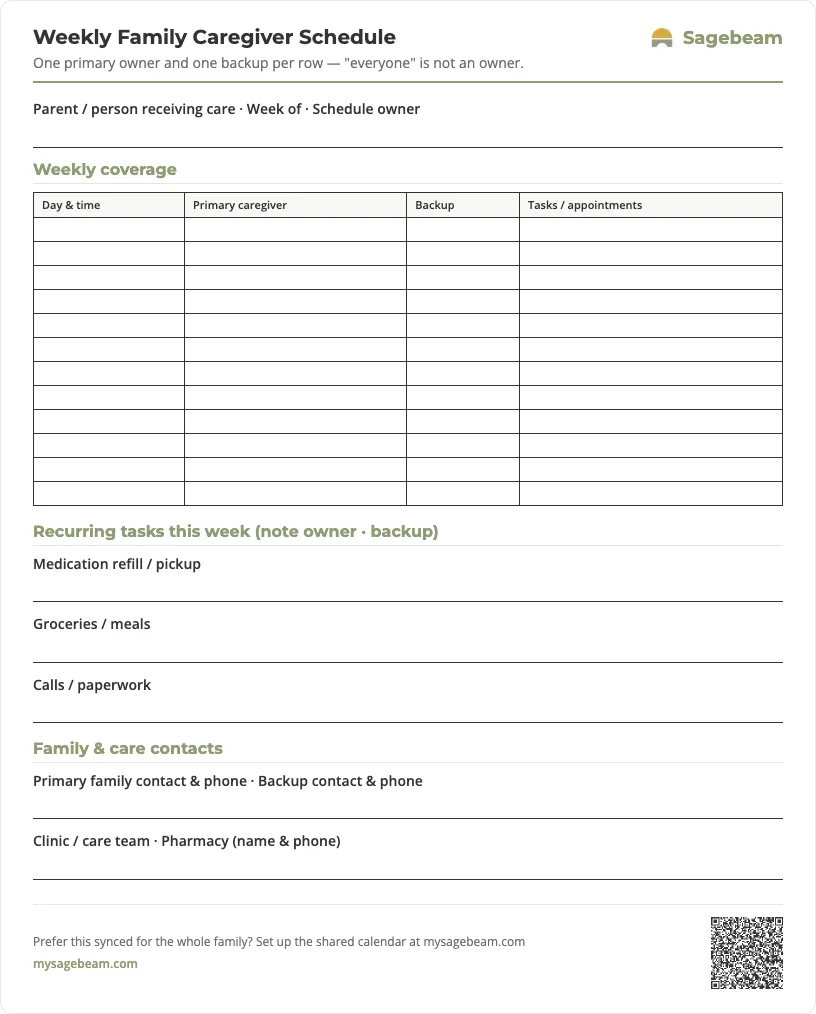
Print your weekly caregiver schedule
A ready-to-use one-page rota. Print it and fill in the week by hand, or keep the same schedule digitally so the whole family sees who has which shift.
 Sagebeam
| Day & time | Primary caregiver | Backup | Tasks / appointments |
|---|---|---|---|
- Tube feeding log sheet for families (printable G-tube and PEG record)
- Foley catheter output log and supply tracker (printable for families)
- Bowel movement and toileting log for elderly care (printable chart)
- Non-weight-bearing recovery support roster for families
You don't need more tabs. You need one place to run your parent's care.
By signing up, you agree to the Terms and Privacy Policy.
Related Planning Steps
- See how to organize caregiving tasks and appointments for a parent for a deeper dive into pairing your calendar with checklists and visit notes.
- Use our caregiver communication plan for family members to decide who needs what level of detail and how often.
- Combine this with caregiver task list for elderly parents so your calendar entries map to realistic workloads.
- If you work with paid help, align your calendar with what families should expect from home caregivers so everyone interprets the schedule the same way.