Free printable home caregiver shift report template (PDF)
Free printable home caregiver shift report template — download or print a one-page handoff sheet so paid caregivers pass along meds, mood, and tasks without anything slipping through the cracks.
Get the free printable shift report ↓No account required.By Rachel Moore, Founder, Sagebeam · Published April 2026 · How we research and review our guides
Part of: Care coordination for aging parents – simple system
When you work with home caregivers, care happens in shifts:
- Morning vs evening.
- Weekdays vs weekends.
- One caregiver during the day, another at night.
If information only passes through quick doorway conversations or group texts, it’s easy for things to slip:
- “Did anyone ever follow up on that near‑fall yesterday?”
- “Has she eaten much today or just picked at meals?”
- “Did the nurse ever call back about that new medication?”
A home caregiver shift report gives you a short, repeatable way to hand off a parent’s care between paid caregivers (and family) so each person starts their shift with a clear picture – without writing a novel. It turns the communication expectations in What families should expect from home caregivers into a simple, daily handoff rhythm.
This guide gives you:
- Who this is for: paid home caregivers, agencies, and families who share shifts.
- A home caregiver shift report template you can print or copy into your shared workspace.
- Clarity on when to use it vs the family’s daily log, incident reports, and weekly summaries.
- Examples of good shift reports that make life easier for the next caregiver and the family.
- Tips on where shift reports live and how they connect to your wider care coordination system.
It fits alongside:
- Caregiver daily log template for families – the family’s running record of each day.
- Weekly caregiver summary template for families – the story of the week.
- How to structure daily and weekly check‑ins with a home caregiver – the overall rhythm that these reports plug into.
- Caregiver incident report template – detailed documentation for falls and sudden changes.
- Creating a caregiver binder for elderly parents – where shift reports can live.
- What families should expect from home caregivers – expectations and communication norms.
This article focuses specifically on caregiver‑to‑caregiver shift handoff – not family updates or incident documentation.
This article is educational and reflects general caregiving experience, not professional advice for your family's specific situation. For medical, legal, or financial questions, follow the guidance of your parent's care team and the qualified professionals who know their situation.
Quick answer: what a home caregiver shift report template should include
A practical end‑of‑shift report template for caregivers includes:
- Header
- Date
- Shift time (start and end)
- Caregiver name and role (agency, private hire, family)
- Person receiving care and location (home, apartment, etc.)
- How the shift went overall
- 2–4 bullets on how the shift went compared to a typical day
- Health, mood, and behavior this shift
- Notable changes in mobility, pain, confusion, sleepiness, or mood
- Care tasks completed and not completed
- What was done (bathing, meals, exercises, housekeeping) and what was missed, with brief reasons
- Medications and appointments during this shift
- Meds given, any issues, appointments attended or scheduled
- Incidents or near‑misses
- Brief note plus “see incident report dated [date]” if a full report was filed
- Notes for the next caregiver / family
- What to watch next shift, special instructions, supplies or equipment issues
Most shift reports can stay on one page or less and take 5–10 minutes at the end of a shift. The aim is a clear, calm handoff – not a minute‑by‑minute diary.
Step 1: When to use a shift report vs log or incident report
It helps to know what “job” each document does:
- Daily log: Running record for the family of what happens each day – meals, meds, mood, small changes.
- Incident report: Detailed documentation for falls, sudden changes, or safety events.
- Weekly summary: Backward‑looking recap of how the week went overall for siblings and doctors.
- Shift report (this article): Short, structured end‑of‑shift handoff between caregivers.
Use the home caregiver shift report template when:
- Multiple caregivers share coverage (agency staff, private caregivers, family).
- You want a consistent way to:
- Flag what got done and what didn’t (and why).
- Highlight new worries from this shift.
- Hand off context so the next person doesn’t start cold.
- The family wants more visibility into what happens during shifts without asking for constant texts.
Even if you’re the only caregiver, a short shift report can:
- Feed into the daily log and weekly summary.
- Make it easier to remember what to tell siblings or doctors.
You don’t need a separate shift report for every tiny variation. If your parent napped a bit longer or was slightly quieter, a note in the daily log is usually enough. Use the shift report when there’s something the next caregiver or family should know before they start.
Step 2: Decide who writes shift reports and where they live
Before you start, agree on:
- Who fills these out?
- Each paid caregiver at the end of their shift?
- One person per day summarizing all shifts?
- A family member using caregiver notes to fill in the form?
- Where do shift reports live?
- In a “Shift Reports” tab or section of the family’s caregiver binder.
- In a shared digital workspace the family already uses.
- In an agency’s system, with a copy for the family when appropriate.
Write a short policy at the top of your template, for example:
“Each paid caregiver completes this home caregiver shift report at the end of their shift. Reports are kept in the ‘Shift Reports’ section of the Smith Family Care binder. The primary family caregiver reviews them weekly and highlights patterns in the weekly summary.”
If you work with an agency, ask:
- “Do you already have an end‑of‑shift report form? Can we align this with it?”
- “Are there topics we should always include or avoid in written reports?”
Your goal is to create one simple rhythm that works for both the caregivers and the family, not a second layer of duplicate paperwork. Resources on hiring home help from Family Caregiver Alliance also stress setting clear expectations and communication routines with paid caregivers from the start.
Step 3: Home caregiver shift report template (copy and adapt)
You can copy and paste this home caregiver shift handoff form into your own document, caregiving workspace, or print it for your binder. You can treat it as a simple caregiver shift change report template that every incoming caregiver can scan in a minute or two. Adjust wording and fields to match your parent’s situation and any agency requirements.
HOME CAREGIVER SHIFT REPORT

Date: ______________________
Shift time: ________________ to ________________

Caregiver name: ______________________________
Role (agency staff, private caregiver, family, other): __________________

Person receiving care: _______________________
Location (home / apartment / facility unit): ___________________________

1. How this shift went overall
- Compared to a typical day, this shift was:
  - [ ] Easier than usual
  - [ ] About the same
  - [ ] Harder than usual
- 2–4 key points about how the shift went:
  - ________________________________________________________________
  - ________________________________________________________________

2. Health, mood, and behavior this shift
- Mobility and safety (walking, transfers, falls / near‑falls):
  ________________________________________________________________
- Pain, breathing, energy, or other symptoms:
  ________________________________________________________________
- Mood, confusion, or behavior changes:
  ________________________________________________________________

3. Care tasks completed and not completed
- Key tasks completed this shift (bathing, meals, exercises, housekeeping, etc.):
  ________________________________________________________________
- Tasks that were planned but not completed (and why):
  ________________________________________________________________

4. Medications and appointments during this shift
- Medications given this shift (if applicable):
  ________________________________________________________________
- Any medication issues (refusals, side effects, missed doses):
  ________________________________________________________________
- Appointments this shift (doctor, PT, nurse, etc.):
  ________________________________________________________________

5. Incidents or near‑misses
- Brief description (if any):
  ________________________________________________________________
- If a full incident report was completed, note:
  “See incident report dated __________ for details.”

6. Notes for the next caregiver / family
- Things to watch next shift:
  ________________________________________________________________
- Special instructions or routines that helped (or didn’t help):
  ________________________________________________________________
- Supplies or equipment issues (running low, broken, hard to use):
  ________________________________________________________________

Caregiver signature (optional): ______________________  Date: __________
Treat this as a checklist and a prompt, not a script. Some shifts will need only a few lines; others will need the full page.
Step 4: Examples of useful shift reports (good vs unhelpful)
Short but vague notes like:
“Evening was fine. She ate dinner and watched TV.”
don’t tell the next caregiver or the family much.
Example: evening shift report that helps the next caregiver
A more useful end‑of‑shift report might say:
“Evening shift 4–10pm. Mom ate about half of her dinner and one yogurt. No falls. More unsteady when standing up from the couch – needed hands on both arms 3 times. Very tired after 8pm and more confused with the TV on; turned the volume down and used lamp instead of overhead lights. She refused her leg exercises tonight, said she was too tired. Watch for more difficulty with transfers tomorrow.”
This version:
- Flags how the shift compared to usual.
- Calls out specific safety issues (standing from the couch).
- Notes tasks not done and why (refused exercises).
- Gives the next caregiver something concrete to watch.
Example: morning shift report with a visiting nurse
For a morning shift with a visiting nurse, a helpful report might be:
“Morning shift 8am–1pm. Nurse visited at 10am – reviewed meds and blood pressure. BP slightly higher than last week; nurse not worried but asked us to keep tracking. Mom was more short of breath walking from bedroom to kitchen; needed one rest halfway. She ate most of breakfast, drank ~20 oz of water. No near‑falls. I moved a small rug out of the hall after she caught her foot on it once (no fall). Called daughter at 12:30pm to update on nurse visit.”
Again, the goal is specific, factual notes that make the next shift smoother and safer.
Step 5: How shift reports work with logs, incidents, and summaries
Shift reports are one layer in the bigger system:
- Daily log: Use details from shift reports to fill in the family’s daily log or to double‑check what’s already written there.
- Incident reports: If a fall, sudden change, or safety event happens, complete a caregiver incident report and reference it briefly in the shift report instead of rewriting everything.
- Weekly summaries: The primary caregiver can skim shift reports when writing the weekly caregiver summary, pulling out patterns (“more help needed with transfers in the evenings”) rather than rereading every line.
- Caregiver binder: Keep printed or scanned shift reports in a “Shift Reports” section of the binder, especially if multiple agencies or caregivers are involved.
If your parent has dementia and recently came home from the hospital, ask each caregiver to note confusion, wandering, bathroom safety, medication reminders, and whether familiar routines are working. What changes at home after a parent with dementia is discharged from hospital explains which post-discharge changes are worth tracking closely.
Before a family meeting or doctor’s appointment, shift reports can help you answer questions like:
- “Is she eating less overall, or just with certain caregivers?”
- “Are evenings consistently harder than mornings?”
- “Are there more near‑falls with certain kinds of transfers?”
You don’t need to show every shift report to a doctor. Instead, use them to spot patterns and gather examples, then summarize those in your weekly summary or appointment notes.
Common mistakes with home caregiver shift reports
As you set up shift handoffs, watch out for these pitfalls:
-
Copying the daily log instead of summarizing.
Shift reports should highlight what matters for the next caregiver, not rewrite every detail. If it’s already in the log and doesn’t change what the next person should do, you can skip it. -
Leaving out tasks that weren’t done.
It’s tempting to only list what went well. But “shower not done – she was too tired and refused, will try tomorrow morning” is exactly the kind of note that prevents surprises and blame later. -
Using vague phrases.
“A little off” or “seemed fine” doesn’t help much. Short, specific phrases like “more confused after 8pm” or “needed help on stairs for the first time” are more useful. -
Turning the report into a place to vent.
Shift reports should focus on your parent and the care tasks, not on interpersonal frustrations. If something about the arrangement isn’t working, that belongs in a separate conversation with the family or agency, not the handoff form. -
Being inconsistent about when reports are done.
If some caregivers write detailed reports and others don’t write at all, patterns will be hard to see. Agree on a simple standard (e.g., every paid shift longer than 3 hours gets a report) and stick with it.
Frequently Asked Questions
Is a home caregiver shift report template overkill for short visits?
For very short visits (for example, a 30‑minute check‑in), you might not need a full shift report every time. Instead, you can:
- Use the template only when there’s something the next caregiver should know, or
- Keep a simplified version with just:
- “How this visit went overall,”
- “Any changes or concerns,” and
- “Notes for next caregiver / family.”
If visits are longer or your parent’s needs are changing quickly, a fuller template is usually worth the extra few minutes.
Should families see everything caregivers write in shift reports?
In most home setups, yes – shift reports are meant to support transparent, team‑based care. Families need to know about changes, missed tasks, and concerns. If you’re an agency caregiver and unsure what’s appropriate to share directly with the family, check your agency’s policy and follow any privacy or confidentiality rules in your region; some agencies prefer reports to go through a supervisor first.
How long should an end‑of‑shift report take to complete?
For a typical shift, aim for 5–10 minutes. If reports are taking much longer, your template may be too detailed or caregivers may be rewriting the daily log. Encourage short, specific bullets and leave space only for information that will matter to the next person on duty or to the family’s weekly summary.
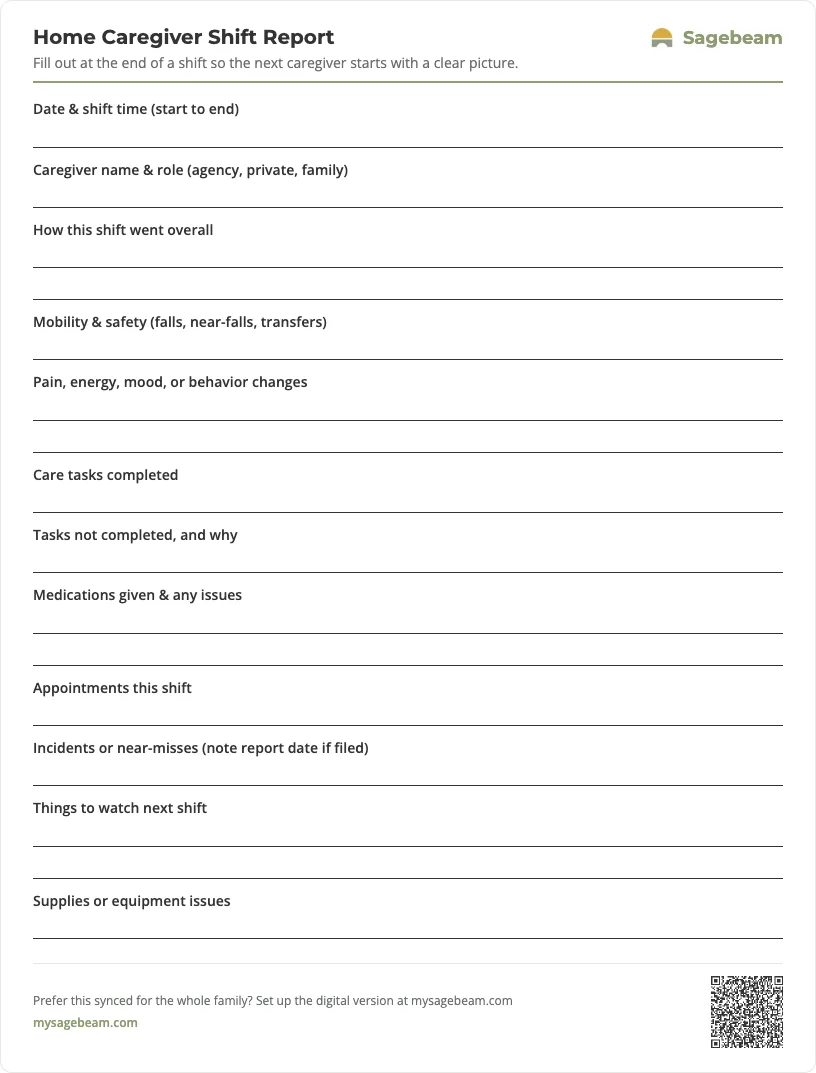
Print your shift report
A ready-to-use one-page handoff sheet. Print a stack for the binder, or keep it synced digitally so every caregiver and family member sees the same picture.
 Sagebeam
- Tube feeding log sheet for families (printable G-tube and PEG record)
- Foley catheter output log and supply tracker (printable for families)
- Bowel movement and toileting log for elderly care (printable chart)
- Non-weight-bearing recovery support roster for families
You don't need more tabs. You need one place to run your parent's care.
By signing up, you agree to the Terms and Privacy Policy.
Related templates
- Caregiver daily log template for families – the family’s master record that shift reports can feed into.
- Weekly caregiver summary template for families – a weekly recap that rolls up patterns from shift reports.
- Caregiver incident report template – a detailed form for documenting any falls or sudden changes that happen on a shift.
- Skilled nursing facility visit log template for families – if your parent is in a rehab or SNF stay, the same shift-tracking habit applied to facility visits.
- Post-cardiac surgery daily monitoring log template for families – if your parent is recovering from heart surgery, a condition-specific log a shift report can feed into.
- CHF symptom tracker template for family caregivers – for a parent with heart failure, a daily weight-and-symptom sheet that pairs with shift handoffs.
- Turning schedule template for bedbound family care – if your parent is bedbound, the 24-hour repositioning chart that hands off with each shift.